AI creators tools

Kling AI

Kling AI is an advanced AI-based video generation platform that transforms text or images into lifelike videos. It offers high-quality 1080p videos with realistic movement to create cinematic experiences.
Overview

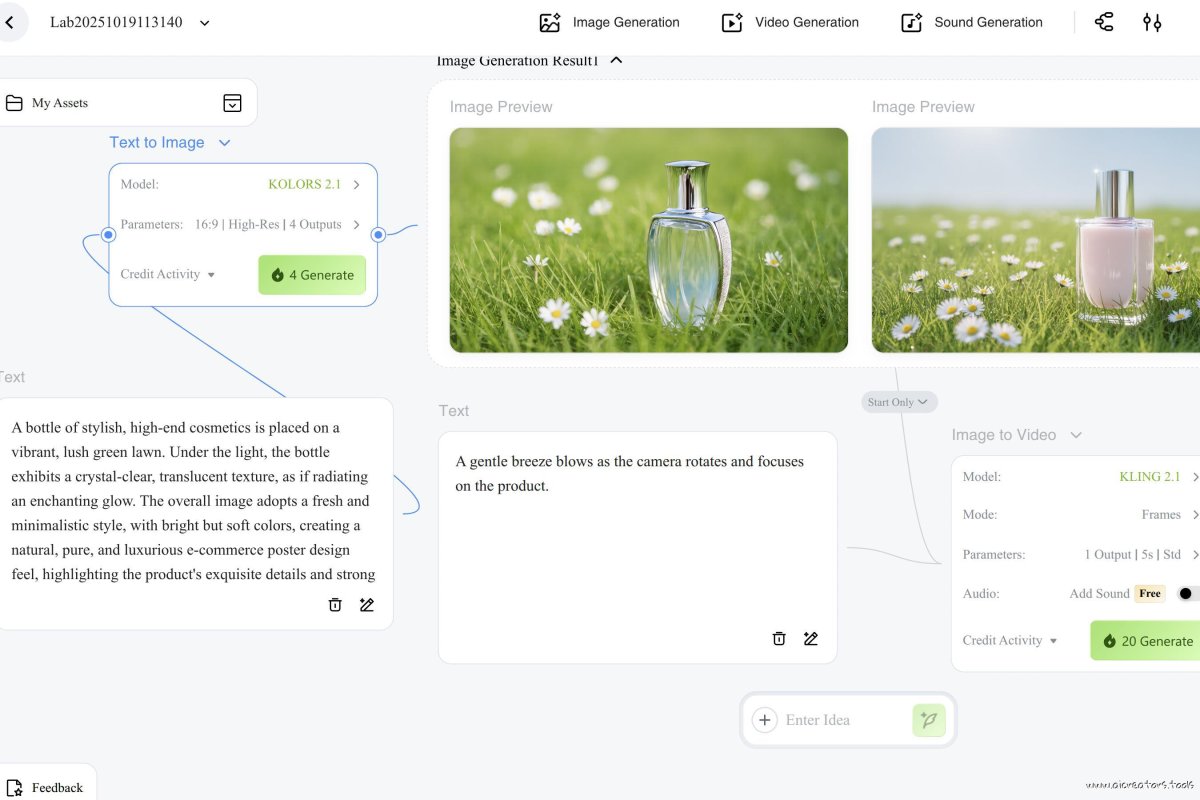
Kling AI excels in creating realistic videos by harnessing cutting-edge AI technologies, including 3D face and body reconstruction and diffusion transformer architecture. It supports both text-to-video and image-to-video functionalities, allowing users to input text prompts or images and generate dynamic, high-resolution videos up to two minutes long at 30 frames per second. Kling AI also incorporates sophisticated camera control options such as panning, zooming, and rotating, giving users the ability to create engaging visuals from different perspectives.

The platform is notable for its ability to simulate physical properties in videos, making movements and interactions appear convincingly real. In addition, Kling AI offers “master shots,” which combine various camera movements to give videos a cinematic, surreal quality. Kling AI’s free version provides a limited number of daily credits, while its Pro plan offers additional features like “professional mode” for higher-quality outputs, extended video length, and more credits for frequent video generation.

With Kling AI’s face-swapping feature, you can create engaging, lifelike characters to elevate your digital storytelling, or even star in your own AI movie.

Kling dropped an Elite Creators Program for fans making and sharing stuff on their site. You get free monthly plans, bonus credits, early tools, direct support, first pick for partner spots, a badge, swag, meetups... and more. They’re looking for folks posting quality content, who know the tools and stay active in the community, apply here https://docs.google.com/forms/d/e/1FAIpQLSd74-rEgqyjCH2mjOVKEvndNat2x-ZTrdCkS1xaIQg-rEpukQ/viewform

Tags

Freemium Proprietary License Web-based #Video & Animation

Creative Professionals Content Creators Media and Film Makers Marketing and Branding Specialists Entertainment and Performance Artists Professional Content Creators

Plan Name Tier Type Cost per Month Credits per Month Credits per Image Credits per Video Second Credits per Lip Sync Second
Standard lowest 10.00 660 1.00 20.00 1.00
Allowance per month: 0.55 minutes, or lip sync 11 minutes, or 660.
* Price for latest models Kling 2.0 for video and KOLORS 2.0. You get additional + 66 free, non-accumulative daily credits each day that you log in.
Pro top 37.00 3000 1.00 20.00 1.00
Allowance per month: 2.5 minutes, or lip sync 50 minutes, or 3000.
* Price for latest models Kling 2.0 for video and KOLORS 2.0. You get additional + 66 free, non-accumulative daily credits each day that you log in.
Free free 0.00 66 1.00 20.00 1.00
Allowance per month: 0.06 minutes, or lip sync 1.1 minutes, or 66.
* Price for latest models Kling 2.0 for video and KOLORS 2.0. You get additional + 66 free, non-accumulative daily credits each day that you log in.

Where multiple modes are available, the calculations are done for the most advanced (and costly) ones.

Pricing can change, make sure to check relevant links for any updates to the subscription plans.

Try our simple ai video cost calculator.

Free Plan Issues: Free users report very slow generation times, often experiencing waits of several days, frequent failures, or incomplete renders. Many noted that adding a "motion brush" setting speeds up the process to several hours instead of days, but quality may still be inconsistent. Some users voiced frustration, suggesting that Kling’s free tier is more of a deterrent than an incentive for potential customers due to these limitations.

Paid Plan Performance: Paid users generally report significantly faster render times, typically between 5-10 minutes per generation. However, opinions vary on whether this speed is adequate compared to other platforms, like Runway, which some users claim offers under-2-minute generations. The paid experience seems relatively stable, but some users feel it's still slower than competitors, despite Kling’s perceived advantages in video quality.

Quality and Value Perception: While many users appreciate Kling’s quality, especially for cinematic and animated effects, they note that platforms like Runway and Minimax offer faster and sometimes more versatile solutions. Nonetheless, Kling’s affordability and high video quality keep some users loyal, especially those who prioritize visuals over speed.

Reddit users also shared their thoughts on whether the Kling AI subscription, especially the discounted "Premier" plan at $552/year, is worth it:

  • Mixed Opinions on Value:

    • Some users argue the price is steep, especially given occasional inconsistencies in output quality.
    • Others highlight benefits like credits that don’t expire for up to two years and the addition of features like lip-syncing and regional editing brushes.
  • Alternative Plans:

    • New users are advised to test a monthly plan ($25 for the first month) before committing to a yearly subscription.
    • Comparisons were made to Hailuo Minimax and Runway, with some preferring these alternatives for better performance or pricing.
  • Concerns About Commitment:

    • A few users warn against long-term subscriptions, citing horror stories about cancellation difficulties.
    • Others hesitate to commit until promised features, like advanced video editing, are released.
  • Customer Service Worries:

    • Potential users expressed doubts after reading reviews accusing Kling AI of poor customer service and unresolved payment issues.
  • Is It Worth It?

    • Ultimately, opinions depend on usage. Heavy users might find the annual plan valuable, while others might prefer services with unlimited credits or better support.

Frustrated Kling AI users have taken to Reddit to report issues with the platform, despite being premium subscribers:

  • Unusable Outputs:

    • One user reported burning through half of their 8000 credits without generating a single usable video.
    • Common problems include prompts being ignored, objects not moving as expected, and bizarre, distorted outputs.
  • Declining Performance:

    • Some users believe quality started to drop during Kling AI’s discount campaign. They speculate that the influx of new users caused server strain, impacting performance.
    • Animations for non-human objects seem to perform worse than those featuring humans.
  • Subscription Concerns:

    • One user claimed results were better before subscribing, adding suspicion about inconsistent treatment between free and paying users.
    • Others accused Kling AI of poor prioritization, suggesting new users might get better performance to encourage retention.
  • Mixed Feedback:

    • Some users still report good results, particularly with human-focused animations. However, even these successes are inconsistent.
  • Alternatives and Refunds:

    • Dissatisfied users discussed seeking refunds through payment platforms like Stripe.
    • The frustrations have pushed some users to explore alternative AI platforms.

Sources:

[ Reddit ] [ Reddit 2 ] [ Reddit 3 ] [ Reddit 4 ]

Prompt:
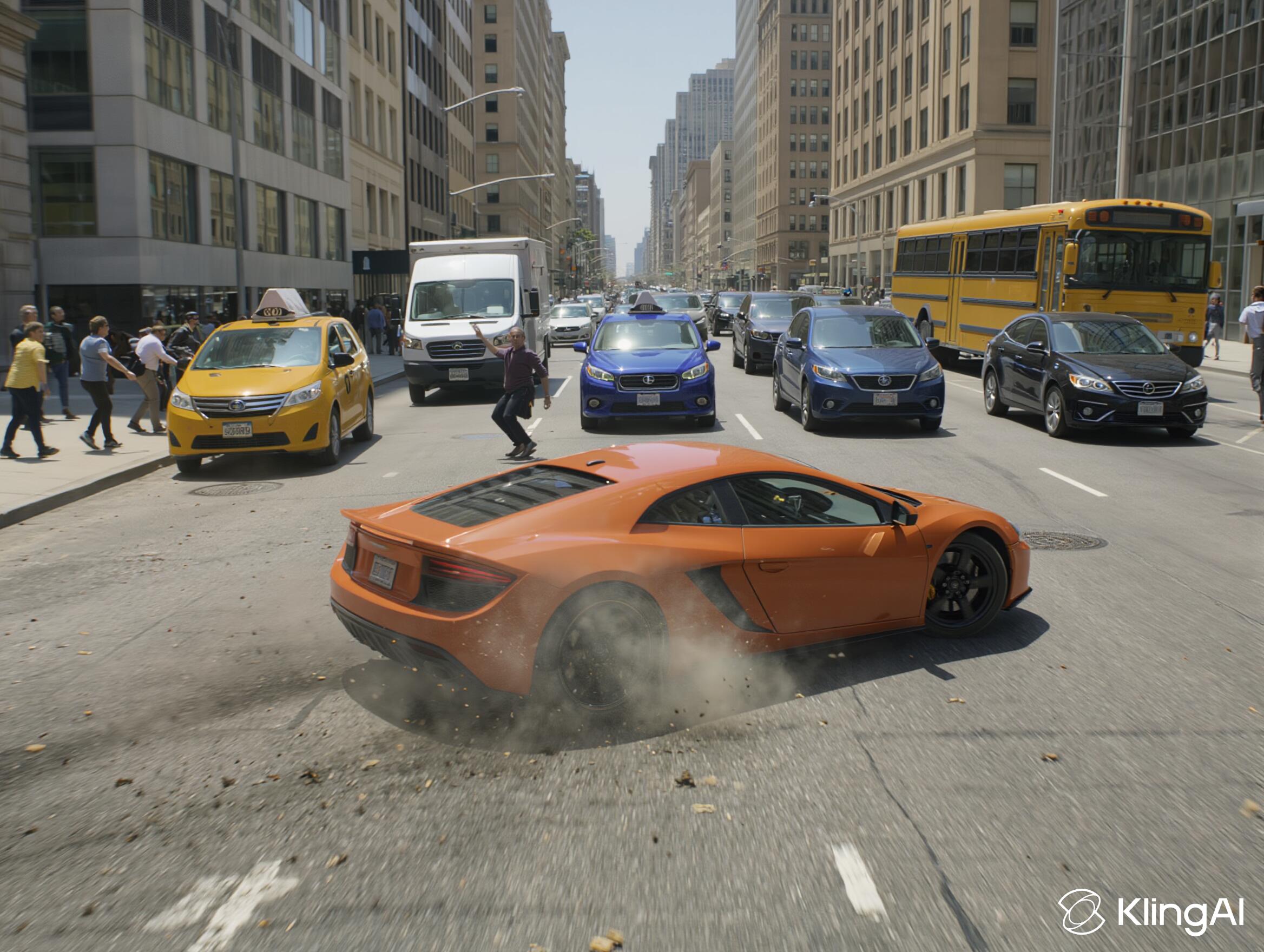
A dynamic cinematic shot of a speeding orange sports car is in focus caught veering sharply, swirving and losing control; pedestrians flinching, and a trailing blur of motion are frozen mid-swerve. Flecks of dust and tire smoke drift in the frame. Other vehicles on the street: taxi, grey van, blue sedan, black hatchback, yellow bus. a congested city street under harsh midday sunlight. High-contrast realism with explosive action tone.
Compare Tools

Generated on December 5, 2025:

Image output
Love the sense of humor - the guy is like moving to the groove in the middle of the road, masterpiece!
Prompt:
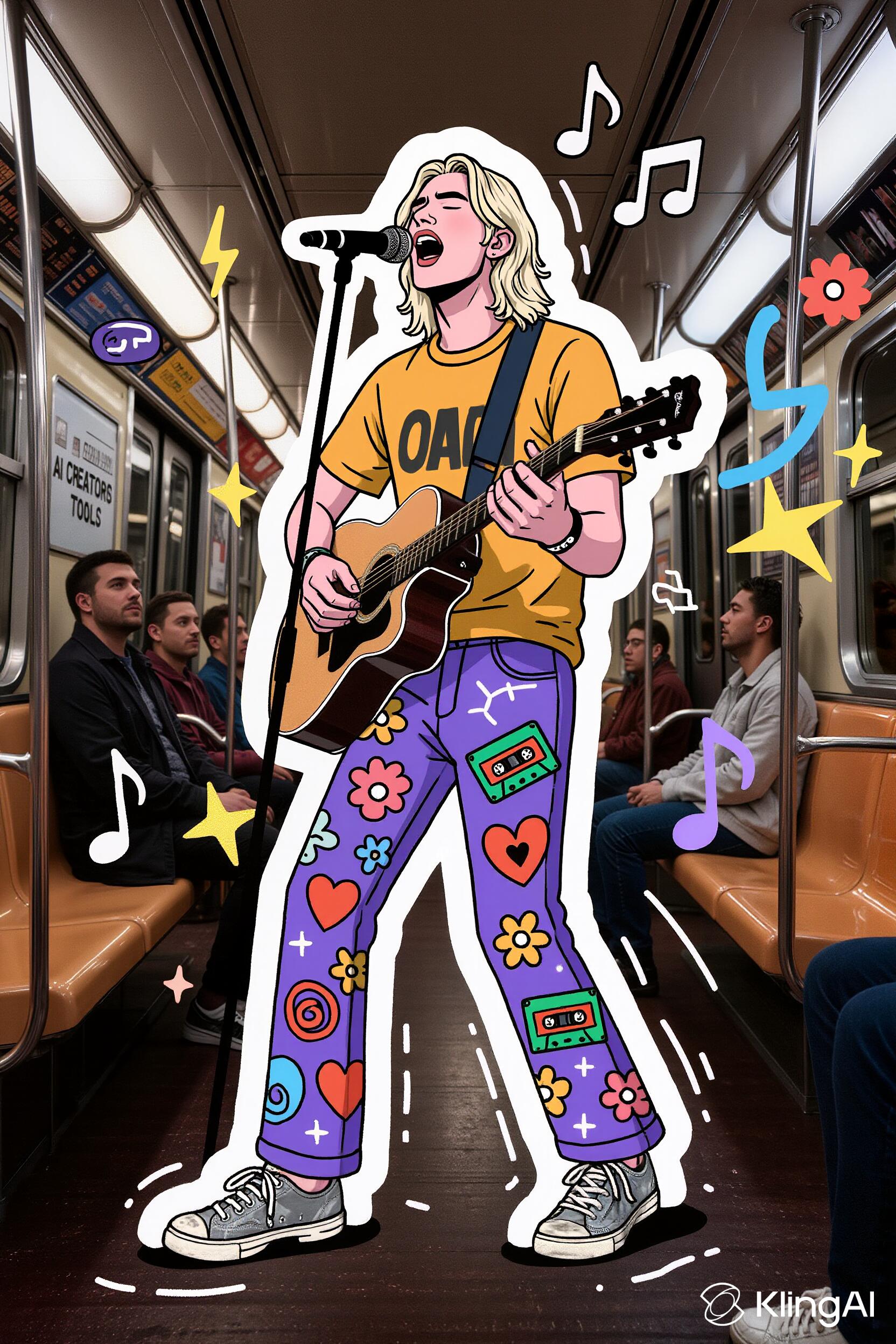
A young man with shoulder-length wavy, bleached blonde hair walks singing playing guitar inside a subway train, centered in the foreground facing the viewer. He wears a mustard-colored t-shirt with dark-grey details and purple pants covered in hand-drawn doodles and graffiti-style illustrations, featuring music notes, hearts, cassette tapes, flowers, spirals and random geometric symbols, silver-white old sneakers. He is animated and groovy, in an expressive pose singing emotionally. The man's figure is outlined with a solid white line,an illustrated border accentuating his figure, about 2 mm wide. Surrounding the man, surreal illustrated elements—musical notes, swirls, speech bubbles, lightning bolts, and cartoonish lines—float outward from around his outlined figure, giving a dreamlike, imaginative aura. These illustrated elements are seamlessly integrated with the real scene, blending reality with expressive artistic fantasy. In the background, the interior of a dimly lit low-saturation subway car is visible with metallic poles, warm beige seats, plate "AI CREATORS TOOLS" onthe wall and three other passengers seated further back and looking at the guitarist stunned—slightly blurred to emphasize depth. The man’s vivid colors and visual embellishments strongly contrast with the muted low-saturation tones of the subway.
Compare Tools

Generated on December 5, 2025:

Image output
The guitarist is a cartoon character, not just surrounded by cartoonish doodles. Otherwise it's not bad, text is also rendered correctly. Passengers arent looking at the guitarist stunned rather minding their own business.
Prompt:
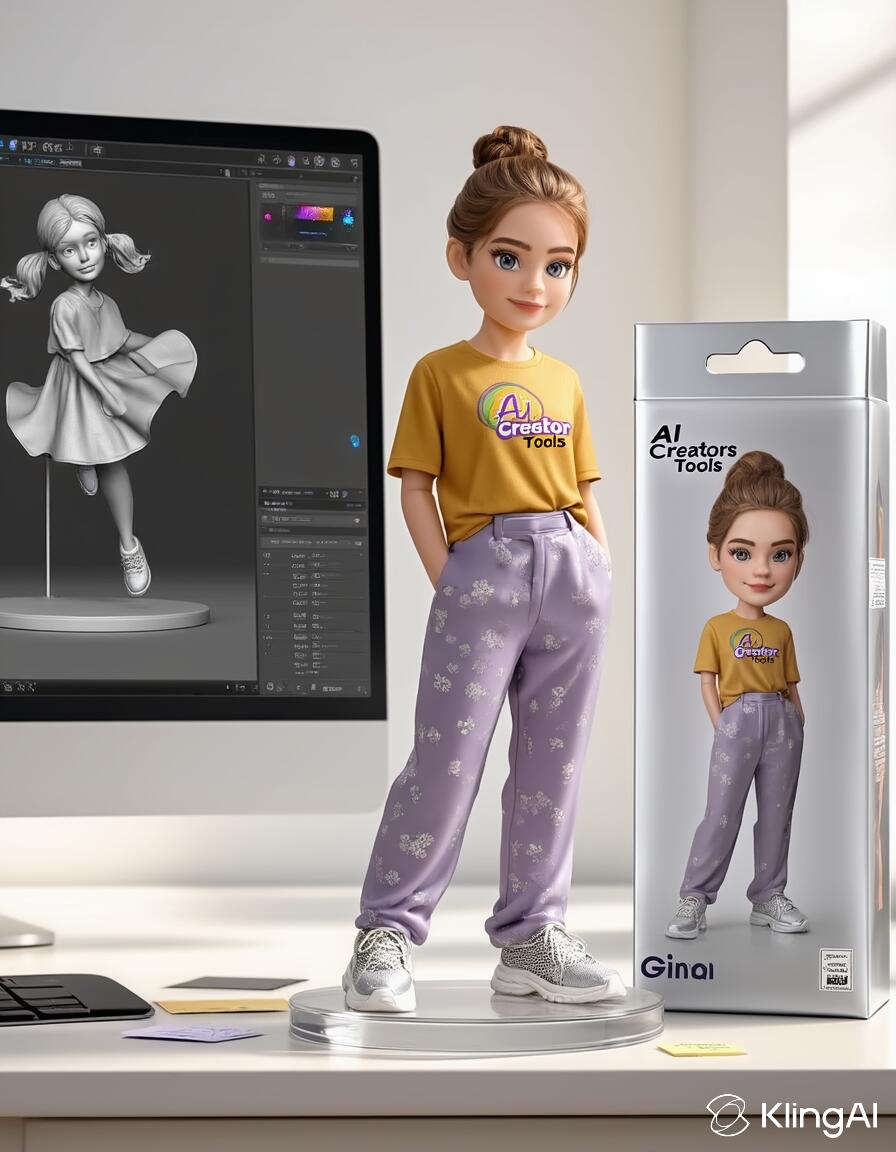
This subject presented as a premium collectible figurine on a designer’s desk. Scene: • Center: a realistic 1/6-scale figurine of the subject on a clear round stand, natural museum pose one foot slightly forward. Keep their current outfit, hair, and accessories exactly as in the source. • Right: an upright glossy retail box showing the same subject as box art matching outfit and look, with brand AI Creators Tools and model Gina; clean typography and a small authenticity sticker. • Left: a widescreen monitor displaying the subject as a grayscale digital sculpt/turntable in a 3D app UI that clearly matches the figurine. • Desk props: keyboard, mouse pad, a couple of notes; tidy and minimal. Lighting & look: • Bright natural studio daylight from windows, soft shadows, subtle tabletop reflections. • Photoreal materials hair, crisp print on the box
Compare Tools

Generated on December 5, 2025:

Image output
This didnt go so well. Uploaded subject and style. Second time uploaded 2 subject images (HD closeup face and full body - was even worse). It won't allow to simply give a subject reference, need at least 2 images. On FAL, which permits a single image, this prompt still makes cartoonish childlike-dolls
Prompt:
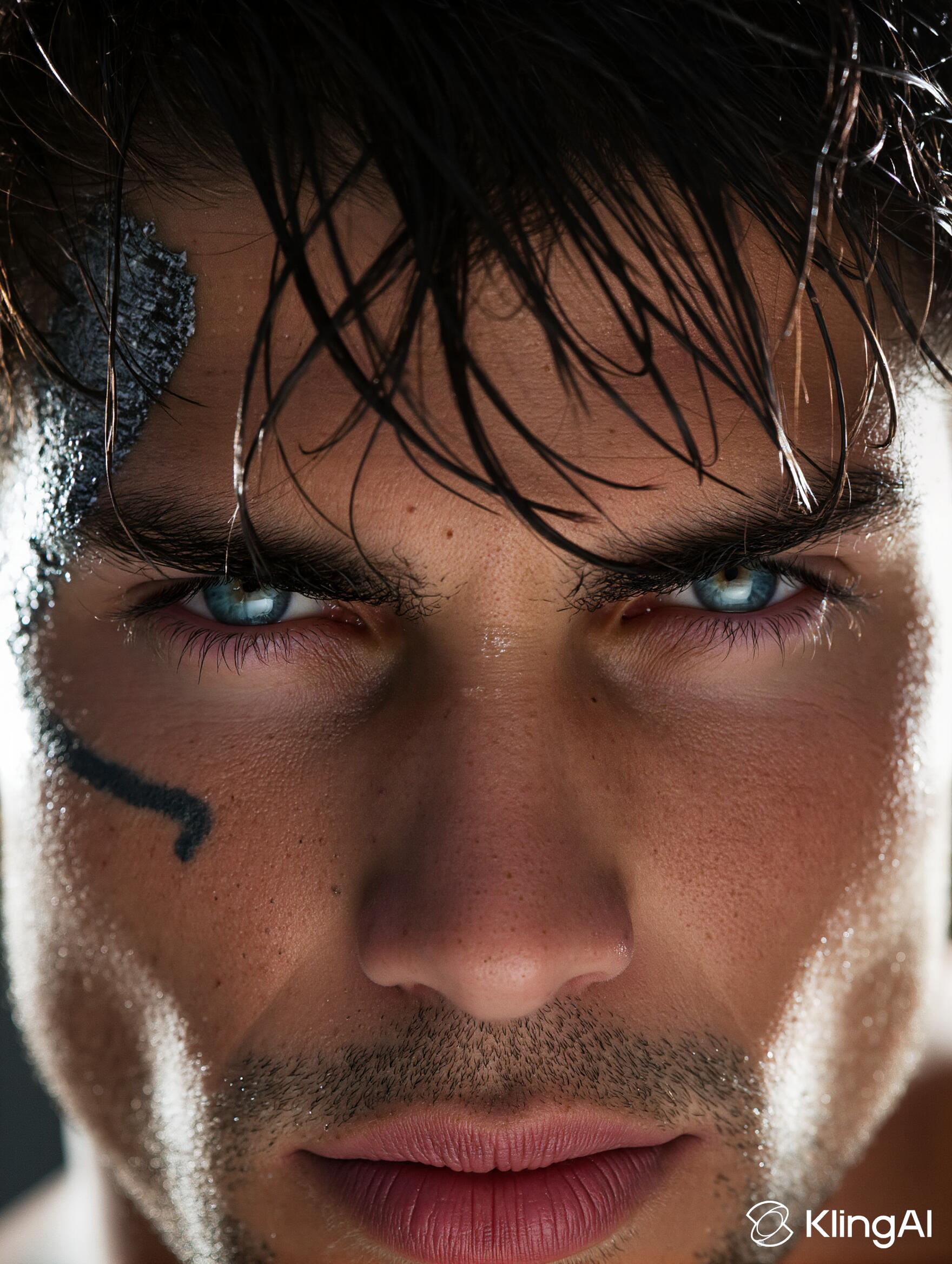
An extreme closeup shot of a 30-year-old man with tan skin and messy dark hair falling over his face. He’s staring straight at the camera with cold light-blue eyes that kinda stop you. Strands of his hair catch the light and frame his look. There’s a clean tattoo on the side of his face running from cheek to temple. It’s got a bit of rough texture that stands out against his smooth skin. The lighting’s sharp and moody. It throws some parts in shadow while showing off the details in his skin and the wet bits of hair. The background’s a blur, keeping all focus on him. Shot with a telephoto lens and a shallow depth of field. The image’s super clear, pulling out every little thing - from the look in his eyes to the way his hair sits. The whole vibe feels raw, personal, and a little gritty.
Compare Tools

Generated on December 5, 2025:

Image output
Photorealism in this model is quite good, especially compared to the previous ones.
Prompt:
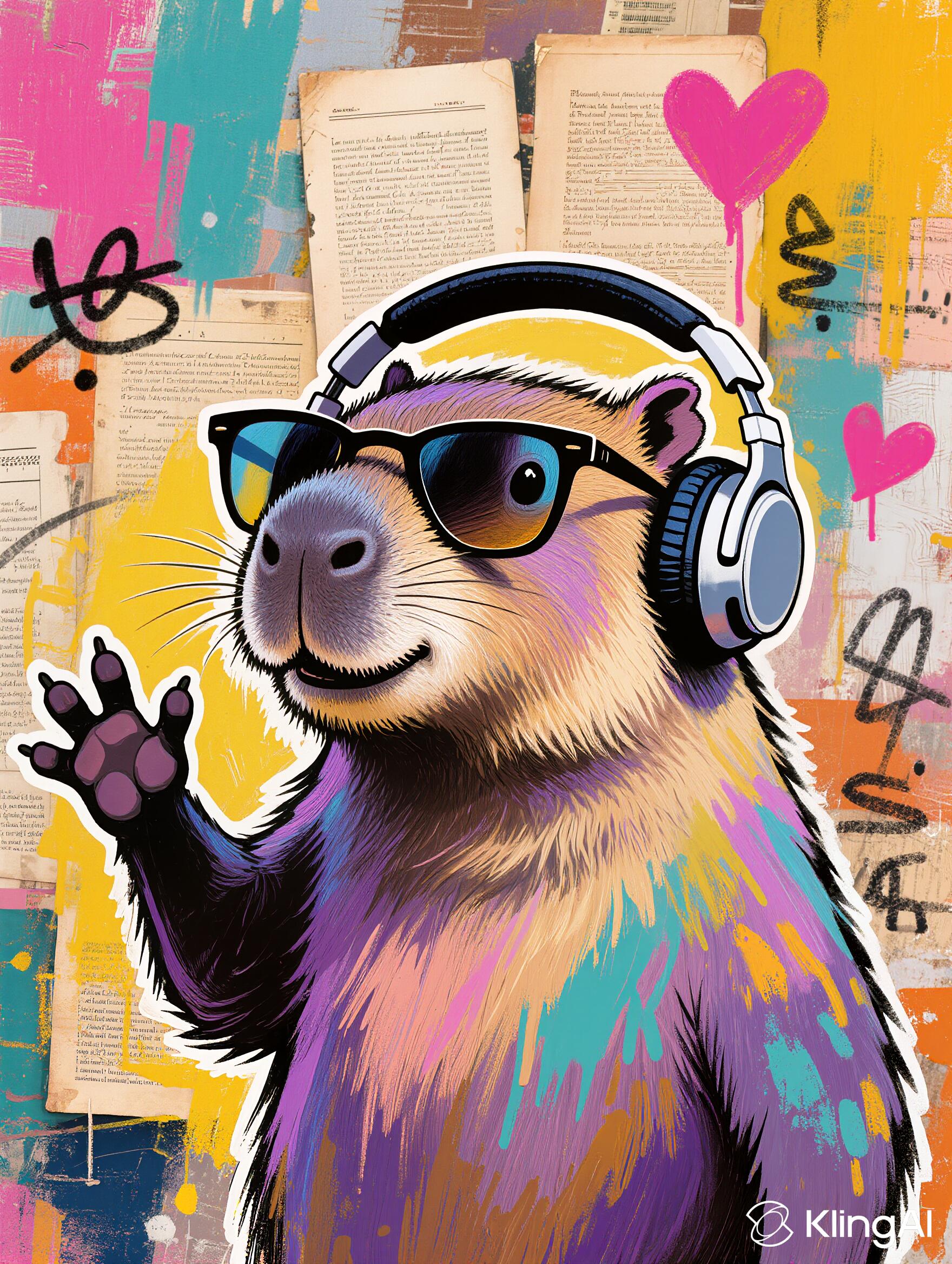
A stylized closeup portrait of a capybara framing it from head to chest, in triangular sunglasses and with headphones on, its paw raised up high in a groovy gesture as if its enjoying the music and waving its paw like fans do, illustrated in a detailed, hand-drawn, almost etching-style technique, facing slightly to the left and positioned centrally in the composition. The capybara is vibrantly painted in iridescent shades of purple, pink, blue, and yellow, with textured blending that mimics brush strokes and spray paint, emphasizing the fur's texture and rounded features. Its figure is outlined with thick white line, about 5 mm wide. The background is an eclectic mixed media collage composed of layered vintage music sheets, old book pages, and textured painted swatches, arranged in an expressive and chaotic manner. Prominent background colors include hot pink, mustard yellow, teal, orange, and soft beige, with overlays of paint splashes, ink doodles (like pink hearts), and rough brushstrokes. These elements create a colorful, urban-meets-folk-art aesthetic. The image has a rich textural quality, with both the capybara and the background showing visible ink lines, layered paint, and tactile collage effects. The portrait radiates a whimsical, vibrant, and creative mood with an emphasis on playful, handcrafted art.
Compare Tools

Generated on December 5, 2025:

Image output
Prompt:
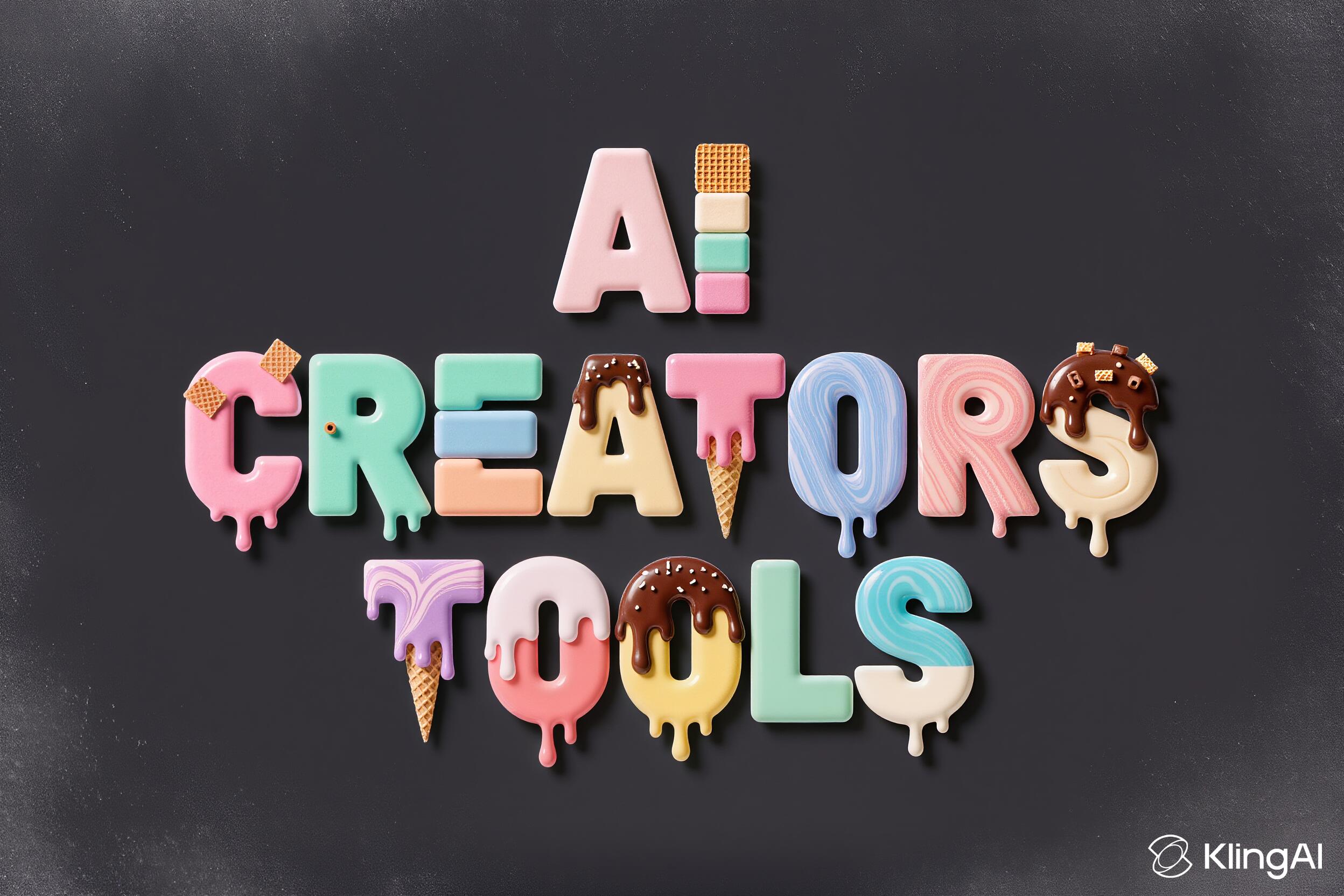
A three-line ice-cream typography reading “AI” on top, “CREATORS” in the middle, and “TOOLS” at the bottom, all letters made from vibrant ice-cream textures, arranged in a playful “dancing letters” layout where each character sits slightly up or down and alightly angld left or rightt for a fun, bouncy rhythm.Text: “AI CREATORS TOOLS” in UPPERCASE using a chunky geometric-sans skeleton with softly rounded corners, medium extrusion, and crisp cutouts to keep counters fully open.Font Material: assorted ice-cream forms—smooth scoops, striped gelato bricks, waffle-cone fragments, marbled swirls, glossy melting lines, pastel layers, and subtle colorful sprinkles—with tiny dessert accents like wafer shards and micro chocolate curls.Composition: centered three-line stack with the dancing-letter treatment applied consistently across all lines; front-on view; 1:1 frame; letters large enough to read instantly.Background: solid matte charcoal backdrop with a subtle frosty cold mist softening the frame edges; keep center clean for legibility.Lighting: soft diffused studio light with gentle speculars on wet melt zones and soft grounding shadows.Color & Contrast: pastel pink, mint, vanilla cream, blueberry, chocolate, and lemon tones against a dark neutral background for maximum contrast.Aesthetic: whimsical product-photography style with crisp realism and playful energy.Legibility: open counters, clean silhouettes, consistent kerning despite the playful offsets and tilts.
Compare Tools

Generated on December 5, 2025:

Image output
Quite tasteful (or tasty) even though a bit flat. But text is correct.
Prompt:
A smoky backroom where four capybaras dressed in 1940s gangster attire sit around a poker table under a brass hanging lamp. Cigars smolder in the mouths of the two of them: capybara on the right and capybara with slicked fur in the back, tucked snugly beside their large front incisors, poker chips clatter, and a portrait of a glamorous capybara in a silky dress hangs slightly askew on the dark wooden wall. The camera cuts to a close-up of one capybara with slicked fur and a thick cigar - his eyes narrowing with suspicion as he studies the cards and his opponents through the haze saying "I smell a rat". The camera lingers on the glowing cigar tip, then cuts back to a wide shot of the table as the capybaras exchange cards, chips sliding across the felt under the golden light, the tension thick and cinematic.
Compare Tools

Generated on December 3, 2025:

Kling 2.6 still doesn't do multi-shot but finds a nice, cinematic workaround here with great camera motion. The short line is accurate, animal lip sync is fine.
Prompt:
A couple sits at a small white iron table outside café. They hold hands and look at each other. The shot stays steady with a light film-like grain. It starts focused on the couple, then shifts to the back. A man with a suitcase walks into view. His face shows shock. That changes the mood fast. The street has striped awnings, café chairs, and a busy but quiet flow of people. You hear street sounds, some footsteps, and soft clinks of dishes. No traffic noise or music. While all this happens, the woman says, “He’s in New York till Friday, darling.” The man says, “So I can have you all to myself.”
Compare Tools

Generated on December 3, 2025:

This simpler natural language prompt worked better. Could be just the length of the prompt.
Prompt:
{ "shot": { "composition": "Medium close-up of couple at café table, rack focus to background pedestrian", "camera_motion": "Static hold with subtle rack focus transition", "frame_rate": "24fps", "film_grain": "Fine, cinematic grain" }, "subject": { "description": "A couple sitting at a Parisian café, hands entwined across a table", "wardrobe": "The man in a casual blazer with an open collar shirt, the woman in a light summer dress" }, "scene": { "location": "Sidewalk Parisian café with white iron chairs and striped awnings", "time_of_day": "Late afternoon, golden sunlight", "environment": "Street with tree shade, pedestrians strolling" }, "visual_details": { "action": "Couple shares an intimate gaze, rack focus reveals a shocked man in background", "props": "Small bouquet of yellow and purple flowers, suitcase by the background man" }, "cinematography": { "lighting": "Warm natural sunlight with gentle shadows from trees", "tone": "Romantic and serene, shifting subtly to unsettling tension" }, "audio": { "ambient": "Soft murmur of street life, faint clinking of cutlery, indistinct footsteps", "avoid": "No intrusive loud traffic no background music" }, "color_palette": "Warm yellows, soft greens, muted blues with subtle contrast", "dialogue": { "character": "woman", "line": "He’s in New York till Friday, darling.", "character": "man", "line": "So I can have you all to myself." } }
Compare Tools

Generated on December 3, 2025:

With this JSON prompt, multi-character dialogue is correct, but the visual part is off: rack focus isn't done correctly, the man with suitcase isnt coming closer and instead poses awkwardly and weirdly.
Prompt:
A rugged, sunlit close-up of a man sitting outdoors, his bare arm turned toward the light. On his shoulder, a bold black tattoo of a roaring dinosaur is sharply defined. The man’s face comes into brief focus as he notices movement beneath the ink in his arm's tattoo — eyes narrowing in disbelief as he stares down at it. Focus shifts entirely to the tattoo. The dinosaur inside begins to move eyes curiously, its nostrils flaring as though catching a scent of something delicious. the tattoo ink starts to shimmer a bit like it’s alive then in a flash it bursts out fast, spraying tiny black ink particles. from that burst a small 3d t-rex jumps out, ink swirling off its body as it solidifies and turns real midair. when it’s over the skin’s clean again, same circular outline of tattoo left behind but no dinosaur inside it.3d t-rex lands on a blue-white picnic blanket nearby where a pizza rests in the open box, leans & grabs a slice with its jaws, and despite it being too large for its size it scampers off with it, slightly comically, heading left exiting frame.
Compare Tools

Generated on October 19, 2025:

Almost perfect, except for how dinosaur holding the pizza slice.
Prompt:
A delicate butterfly flutters into frame and lands on a purple flower, placed slightly off-center with a white middle, captured in extreme macro…
to see full prompt.
Compare Tools

Generated on October 4, 2025:

Great cinematic result, rack focus implemented seamlessly
for link to original generation.
Prompt:
A speeding lime-green with black details SUV barrels through a congested city street under harsh midday sunlight, the camera tracking low and fast…
to see full prompt.
Compare Tools

Generated on October 3, 2025:

Amazing result.
Prompt:
A relaxed chubby orange cat lounging on a blue couch. The camera slowly zooms in as the cat raises its left paw, rotated so the palm faces inward…
to see full prompt.
Compare Tools

Generated on September 27, 2025:

Ok so Kling must've been working on other prioriries, the 2.5 Turbo doesn't seem to know how a cat flipping you off would look like.
Prompt:
Medium shot of this woman in white t-shirt with "AI creators tools" print and baggy purple silk pants standing left of center in this street. To the…
to see full prompt.
Compare Tools

Generated on September 16, 2025:

Image output
Kolors 2.0, now Image 2.0 with two references. Still cartoonish look.
Prompt:
A symmetrical, two-story blue house with white trim and a bright red door stands perfectly centered in the image The background features a bright…
to see full prompt.
Compare Tools

Generated on September 4, 2025:

Great job by Kling 2.1 in keyframes mode
for link to original generation.
Prompt:
A painted woman, depicted in digital illustration style, her skin layered with visible brushstroke textures, stands perfectly centered in a…
to see full prompt.
Compare Tools

Generated on August 26, 2025:

Image output
Prompt:
Blonde woman in yellow boots standing on a mountain. She turns towards the camera and begins to pose confidently, artistically and playfully like a…
to see full prompt.
Compare Tools

Generated on August 21, 2025:

Kling has done quite well. This is 1/1 test.
Prompt:
A full-body shot holds steady on a heavily-muscled zebra-human hybrid standing squarely in a gritty urban alley. He wears reflective shades, a…
to see full prompt.
Compare Tools

Generated on August 5, 2025:

There's warping. Not a great result.
Prompt:
A zebra-headed figure in a red bomber jacket stands in the middle of a gritty urban street, flipping off the camera with a bold striped finger. Gold…
to see full prompt.
Compare Tools

Generated on July 29, 2025:

Oddly enough, does poorly for this task. If you find the 'key' to this model for this kind of generation let me know in the comments below!
Prompt:
Bullet-time effect, slow orbit: A woman in a vibrant swimsuit floats mid-air, holding a cocktail and a hat, against a dramatic ocean backdrop. The…
to see full prompt.
Compare Tools

Generated on July 28, 2025:

Goes a bit too quickly here in my opinion, even after I've added 'Bulle-time effect, slow' in the beginning, before my orbiting instruction.
There are 36 more examples.

Latest Kling AI News

November 30, 2025

Rumor has it Kling O1 is bringing “Director Mode” with one model doing text-to-video image-to-video and edits in one go with audio baked in.
It might let you lock in character looks and avoid those flickering face issues too.

feature

November 17, 2025

Kling AI says its Black Friday deal is live now. You get half off your first year, more credit on each top-up, and Unlimited Generation for Ultra and Premier which feels a bit upgrade-esque.

promo

November 15, 2025

Kling 2.5 Turbo now has start and end frames.

feature

October 22, 2025

Kling 2.5 Turbo Standard is released offering image-to-video at 720p with reduced cost and faster generation.

model

October 12, 2025

Kling 2.5 Turbo (1080p) model has taken the #1 spot in both Text-to-Video and Image-to-Video in the Artificial Analysis Video Arena.

model
Useful Links
Using Kling’s Image Generator For Consistent Characters

Tutorial

Kling AI's image generator nails face consistency better than most tools out there. Here's how to use it smart to keep characters locked across video frames.

Kling AI Prompt Guide

Tutorial

Tips on prompt structure, image to video animation, using negative prompts in Kling

This page was last updated on November 30, 2025 at 10:40 PM