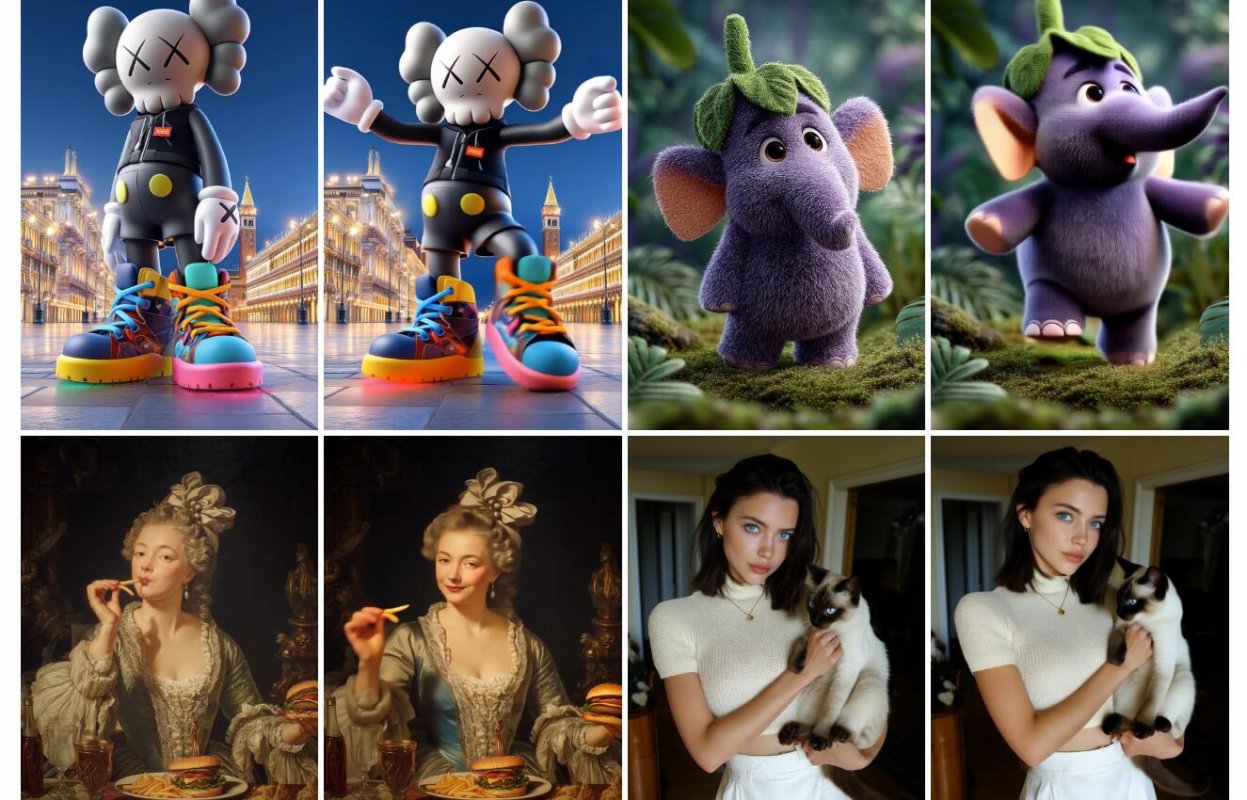
FramePack makes videos one frame at a time in a “progressive” way which means it can keep going basically forever... or until you get bored.
Developed by Lvmin Zhang (@lllyasviel), a prolific AI researcher. He's the creator of ControlNet, IC-Light, and Fooocus.
It only needs 6GB of VRAM to generate up to 2 minutes of video at 30fps. You don’t need some $10K setup either—laptop GPUs are fine. People’ve run it on a 3060 laptops and while it’s slower it still worked.
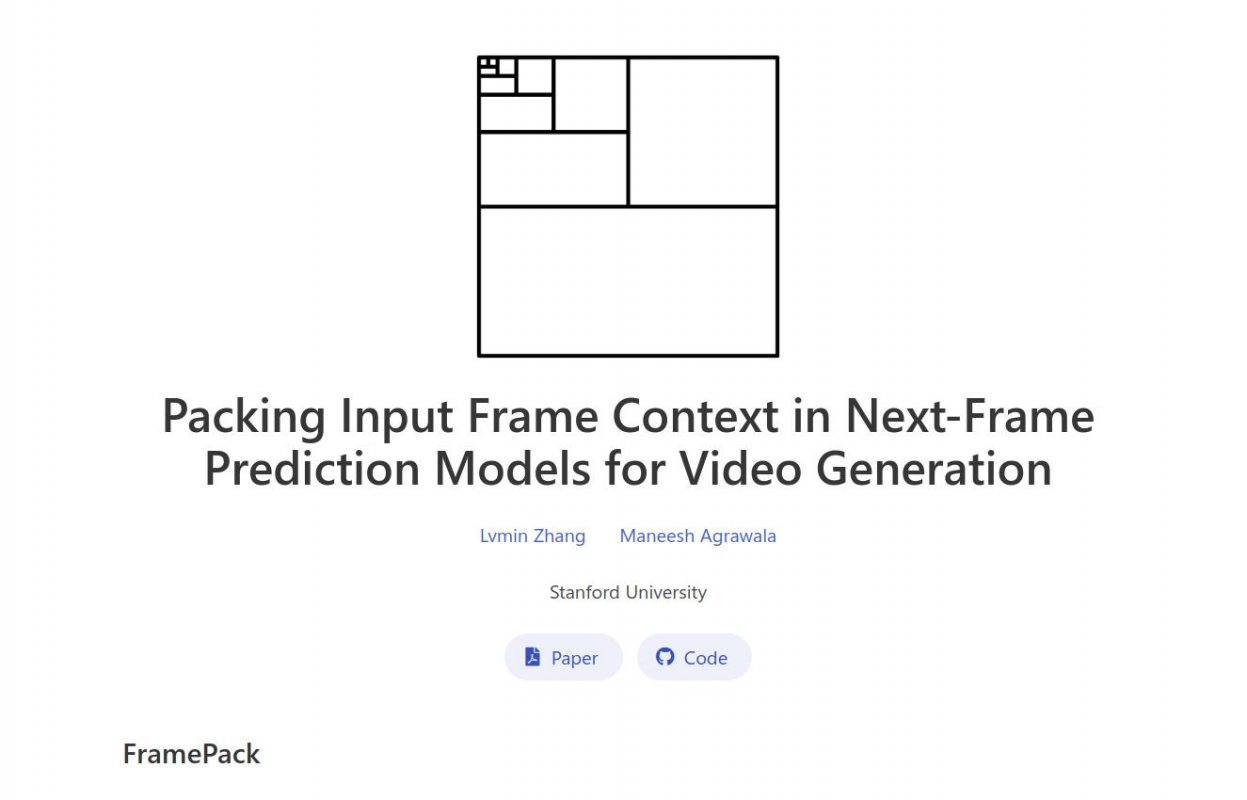
FramePack shrinks the context of the input frames down to a fixed size. That means the effort to keep going doesn’t grow as the video gets longer. It just keeps churning frame after frame. Think of it like video diffusion that feels like regular image diffusion. Easy to run. Less stress on your setup.
Real-Time Generation
Since it works one frame at a time you see stuff happening while it’s still working. Wanna make a 120-second clip? Cool. Don’t like how it’s shaping up? Kill it at 30 seconds and try again. You’re not locked in.
And the Gradio app makes the whole thing super simple. One click and you’re in, when using http://pinokio.computer.
System Stuff
You’ll need a Windows or Linux PC and a Nvidia card—RTX 30XX or up. It’s not tested on older cards like 10XX or 20XX. Also you might need to play with the “Preserved Memory” setting if you run out of juice during gen.
The base model it uses is HunyuanVideo in Diffusers format. Disk space needed? Quite a bit: just under 50GB.
👉 Note that the GitHub repository is currently the only official FramePack website. All other websites are spam and fake. There is no web platform. Do not pay money or download files from any of those websites.
Prompt Tips
Want better results? Keep your prompts short and clean. Stuff like:
The girl dances gracefully with clear movements full of charm.
Or
The man dances powerfully striking sharp poses on a glossy floor.
Short strong lines work better than bloated ones.
Oh and yes, FramePack can do NSFW videos, just in case you were wondering which, of course you were not...
Educators and TrainersCreative ProfessionalsContent CreatorsMedia and Film MakersMarketing and Branding SpecialistsDevelopers and Tech CreatorsNonprofit and Advocacy CreatorsSmall Business OwnersEntertainment and Performance ArtistsProfessional Content Creators
This list may not be exhaustive as new models keep dropping and are added to platforms all the time.
This tool is free to use when installed locally and is offered under Apache License 2.0.
Prompt:
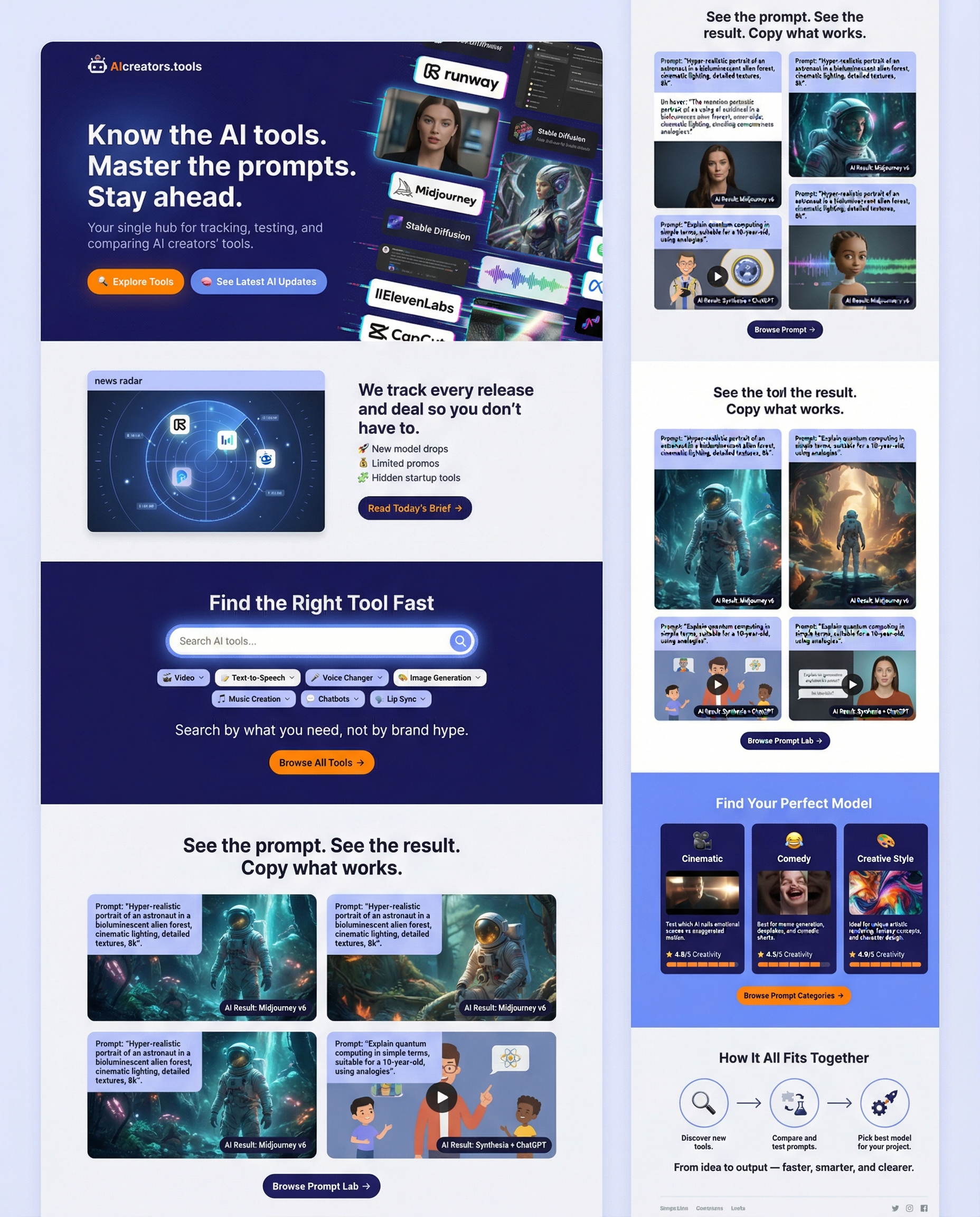
Design a modern web page for "AIcreators.tools" website, use colors:
Indigo Ink #27187e , Cornflower Blue #758bfd , Periwinkle #aeb8fe , Platinum #f1f2f6 , Princeton Orange #ff8600 .
Use short blocks, icons, and real visuals (not abstract waves). Tone: confident, not corporate.
🧱 Page Layout Breakdown
1️⃣ Hero Section — “Clarity Hook”
Purpose: instantly answer what this site is and why it matters.
Visual:
Split screen or motion loop (AI video snippets, glitch-style feed scroll).
Text overlay:
Headline: “Know the AI tools. Master the prompts. Stay ahead.”
Sub: “Your single hub for tracking, testing, and comparing AI creators’ tools.”
CTA Buttons:
🔍 Explore Tools
🧠 See Latest AI Updates
2️⃣ “Stay Ahead of the AI Game” Block
Layout: horizontal card with left image, right text.
Visual: stylized “news radar” feed UI — logos like Runway, ByteDance, Freepik popping in.
Copy: short headline + one-liner:
“We track every release and deal so you don’t have to.”
Then bullets:
🚀 New model drops
💰 Limited promos
🧩 Hidden startup tools
CTA: Read Today’s Brief →
3️⃣ “Find the Right Tool Fast” Block
Layout: dark background, centered search bar mockup.
Visual: dropdown chips like Video, Text-to-Speech, Voice Changer, etc.
Copy:
“Search by what you need, not by brand hype.”
Button: Browse All Tools →
Optional: small sample query animation
4️⃣ “Prompt Lab” Block
Layout: gallery grid (prompt card + result thumbnail).
Visual: hover swaps between prompt text and AI result image/video still.
Copy:
“See the prompt. See the result. Copy what works.”
CTA: Browse Prompt Lab →
5️⃣ “Find Your Perfect Model” Block
Layout: 3-column cards with icons.
Columns: 🎬 Cinematic • 😂 Comedy • 🎨 Creative Style
Each card:
Thumbnail preview
Short description (“Test which AI nails emotional scenes vs exaggerated motion.”)
⭐ Ratings (coming soon: text clarity, realism, creativity)
CTA: Browse Prompt Categories →
6️⃣ “How It All Fits Together” Mini Infographic
Visual: simple 3-step line graphic (horizontal flow):
Discover new tools →
Compare and test prompts →
Pick best model for your project
End with:
“From idea to output — faster, smarter, and clearer.”
Zebra-human hybrid bursts into motion: arms uncrossing in a flash, executing a sharp, anatomical combo — a crisp jab, followed by a powerful upward palm strike that mimics deflecting an invisible opponent. His torso twists powerfully as he delivers a low sweeping kick toward knee-height. Instantly, he pivots into a spinning roundhouse, the camera catching each muscular rotation through his zebra-striped arms and flexed legs.
A red-haired girl's face subtly morphs with age while subtle breeze billows her hair. Freckles fade and shift, cheekbones and eyes mature, evoking a sense of time unfolding across one expression.
The morphing takes place straight away within less than 2 seconds and for the rest of the 5 second video was just a static shot of the end frame, so I cut it out.
A humanoid zebra in a puffed red dress bounds across the surface of a dark, moonlit lake. Her striped legs splash with each graceful leap, sending ripples and golden and violet fish flying playfully into the air. A dreamy motion blur trails behind her—three ghostly afterimages fading into the watery dusk.
A quaint urban street where three anthropomorphic animals sit on a bench. In timelapse, the scene transitions from morning to dusk, the lighting softening, as pedestrians super quickly move in the background with motion blur, hinting at the passing day. Emphasize the stillness of the trio amidst the dynamic urban life around them.
Medium shot from behind — a man facing a mirror tries on a new outfit. He studies his reflection with a thoughtful gaze, turns slightly to the left, keeping his eyes fixed on the mirror examining how clothes look from the side as adjusts his purple sweatshirt slightly .
A man stands with arms crossed. Suddenly, a fist strikes him from the left, launching him into disbelief. In slow motion, his skin ripples, and strands of hair flutter as the impact unfolds, a shockwave running through his body. Nuanced expression:surprise shifting into resilience. Ambient light catches debris swirls in the air, a gritty, dynamic atmosphere.
Surreal scene the lake water inside the cup ripples and overflows, spilling realistically from the lower right edge of the cup onto the table. The pool of water on the table grows larger and larger while butterflies are flying.
Even with start-end frames FramePack appears resistant to making more than 3 steps. Whether it's walking away from the camera or across the scene from left to right. Tried various prompts and images with trees in the start/end of the image.
Both prompts result in both drinking coffee, initial images have only 1 coffe cup - in man's hands, AI still adds a cup for goat and forces him to drink it.
Amazing we can see where 'knees' bend as boots walk, even though they're empty. Longer videos though have only produced walking in place but not going anywhere.
FramePack Studio"¯0.4 is live! Major feature update brings video extensions, post"‘processing tools, improved queue, presets, custom models & more. https://github.com/colinurbs/FramePack-Studio